Free Life-Size Cardboard Cutout Maker
On this page(5)
Quick Answer: You can make a 5 ft to 6 ft life-size cardboard cutout at home for roughly $2–$5 (instead of $50–$90+ shipped) using Rasterbator.org. Upload a full-body photo, keep Plain Tile (no halftone dots) and Contain framing (prevents stretching), choose US Letter (8.5 × 11 in), set your height grid (typically 3 × 7 sheets for 5'6"–5'10"), download the free PDF with crop marks & overlap, and mount onto cardboard or foam board. Need clean edges or a sharper low-res face? Optional built-in AI Background Removal and 4× AI Sharpening sit right in Step 1.
DIY Home Cardboard Cutout vs. Ordering Online (Cost & Speed)
- Commercial custom standee sites (Build-a-Head, Fathead, PosterBurner): Typically $50–$100+ with shipping, plus 4–7 days delivery — too slow for a weekend birthday, graduation, or surprise party.
- Walgreens / Staples / FedEx Office: Print large rectangular posters ($20–$40), but do not die-cut silhouettes and still require mounting onto cardboard yourself.
- DIY with Rasterbator.org + Home Printer: Free multi-page PDF with no watermark, no sign-up, and no 2×2 area cap. Uses ~18–24 US Letter sheets (~$1–$2 ink/paper) plus free corrugated cardboard (or 2–3 Dollar Tree 20 × 30 in foam boards for ~$3.75). Ready tonight in ~30 minutes.
Height-to-Sheet Chart: How Many US Letter Pages for a Life-Size Cutout?
Use this reference table to match a person's real height to a US Letter (8.5 × 11 in) portrait grid (calculated with 0.25 in margins and 0.2 in overlap):
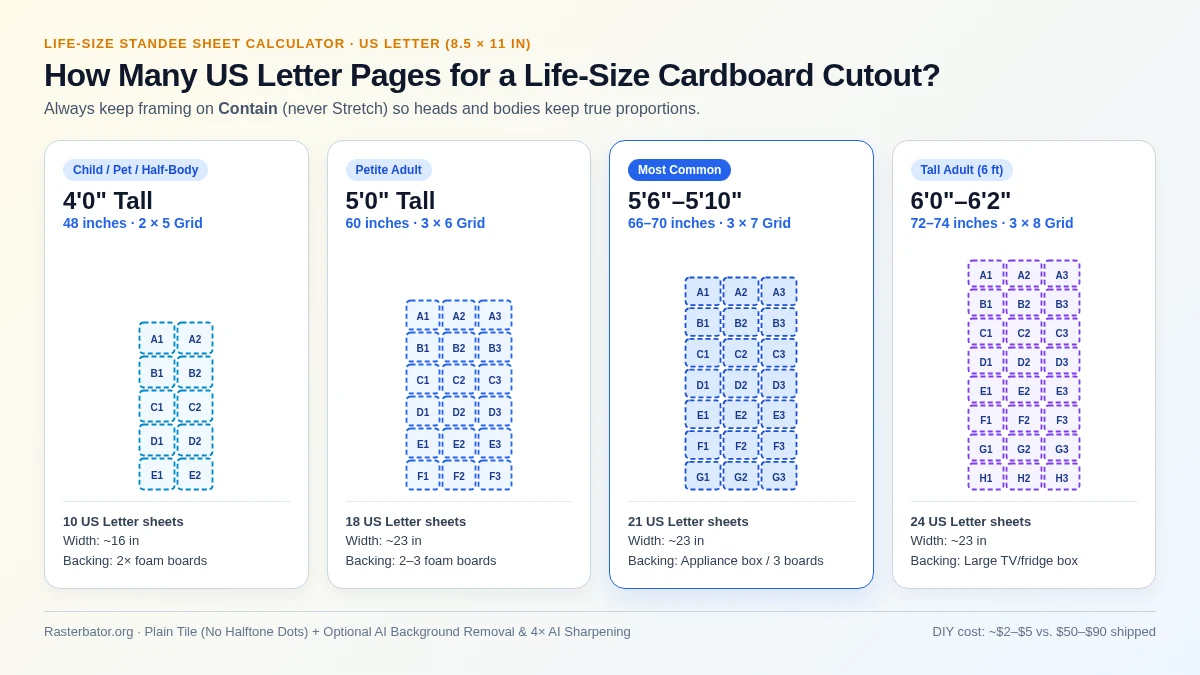
| Target Height | Inches / cm | US Letter Grid (W × H) | Total Sheets | Backing Needed |
|---|---|---|---|---|
| 4'0" (Child / Pet / Half-Body) | 48 in / 122 cm | 2 × 5 | 10 | 2 × Dollar Tree foam boards (20 × 30 in) |
| 5'0" – 5'3" | 60–63 in / 152–160 cm | 3 × 6 | 18 | 2–3 foam boards or medium moving box |
| 5'6" – 5'10" (Most Common) | 66–70 in / 168–178 cm | 3 × 7 | 21 | Large wardrobe/TV box or 3 joined foam boards |
| 6'0" – 6'2" (Tall Adult) | 72–74 in / 183–188 cm | 3 × 8 | 24 | Appliance / fridge box (flat cardboard sheet) |
One-Click Life-Size Cutout Presets (No Stretching!)
The #1 mistake in cardboard cutout tutorials is stretching a narrow portrait across a wide grid. Every preset below locks fit=contain (true proportions), Plain Tile (crisp photo, zero halftone dots), US Letter, 0.25 in overlap, crop marks, and A1/B2 labels:
- 4'0" Cutout Preset — 2 × 5 US Letter (10 sheets) — kids, pets, or waist-up table standees
- 5'0"–5'3" Cutout Preset — 3 × 6 US Letter (18 sheets)
- 5'6"–5'10" Life-Size Preset — 3 × 7 US Letter (21 sheets) — most popular adult standee
- 6'0"–6'2" Tall Cutout Preset — 3 × 8 US Letter (24 sheets)
- Life-Size Cutout Preset — 3 × 7 A4 (21 sheets) — international A4 printers
Step-by-Step: From Photo to Standing Cardboard Cutout
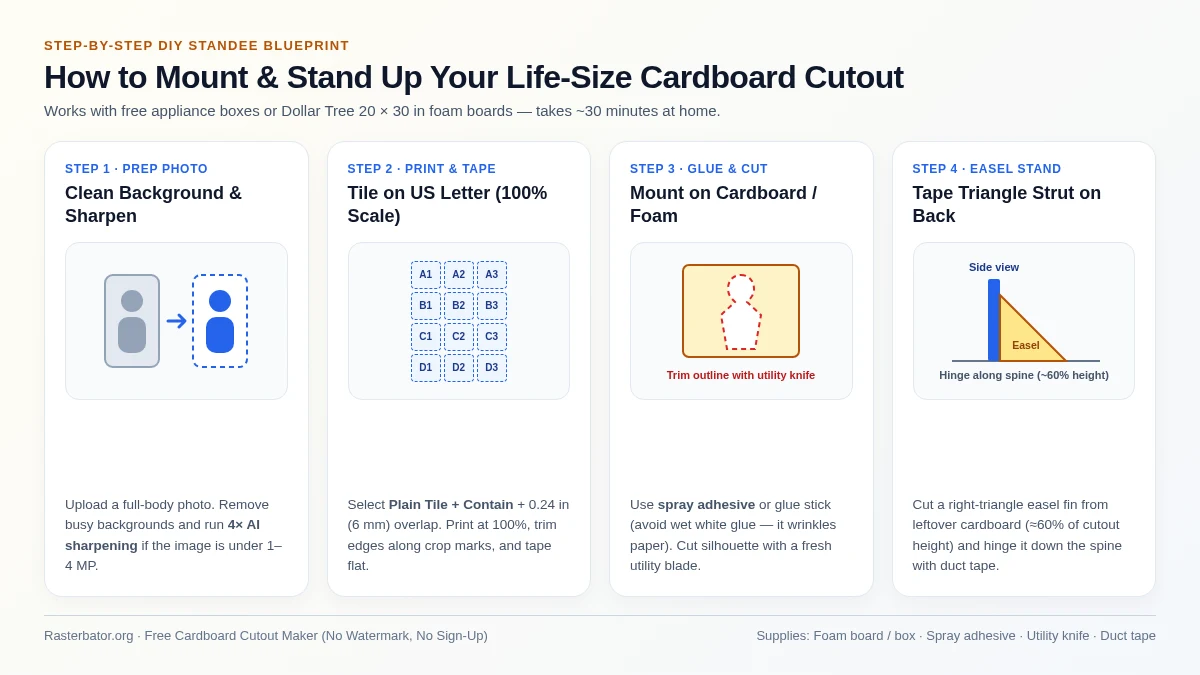
Step 1: Prep Your Photo (Remove Clutter & Fix Blurry Faces)
- Pick a full-body shot with head and shoes visible (crop tight around the body first in our Image Cropper so you don't waste ink printing empty background).
- Remove busy backgrounds (saves ink & cutting guesswork): Printing a dark room background wastes half a cartridge of ink. Turn on Step 1's optional AI Background Removal (or use our Background Remover) to isolate the person cleanly on pure white before slicing.
- Fix blurry photos before blowing up 6 feet tall: Most phone saves, Instagram grabs, and web photos are only 600–1200 px tall — stretched to 70 inches, faces turn blocky. Step 1 includes built-in AI Photo Sharpening (4× upscale for ≤1 MP photos, 2× for 1–4 MP; optional $4.99 one-time 7-day Pro pass covers both AI sharpening and background removal with no subscription).
Step 2: Export Your Tiled PDF & Print at 100% Scale
Download the free multi-page PDF (your basic tiled PDF is always 100% free with no watermark). Print Page 1 first as a scale check with Paper Size: US Letter, Scale: 100% / Actual Size, and Fit to Page: Off. Standard 20–24 lb copy paper works great because cardboard provides all the stiffness.
Step 3: Tape the Tiles, Mount on Cardboard & Cut the Silhouette
- Supplies (~$2–$5): Flat corrugated box (ask an appliance store or Home Depot for a large box) OR 2–3 Dollar Tree
20 × 30 infoam boards taped edge-to-edge on the back, spray adhesive (3M Super 77 / Elmer's Spray — avoid wet white PVA glue, which ripples thin paper), a sharp utility knife / X-Acto blade, and duct tape. - Lay pages out by their
A1 / B2grid labels, trim the overlapping edge along the crop marks, and tape sheets together into a clean flat poster. - Lightly mist the cardboard with spray adhesive, smooth the taped poster down from the center outward with a plastic card to remove bubbles, and cut carefully around the outline with a fresh blade.
Step 4: Build a Fold-Flat Easel Stand on the Back
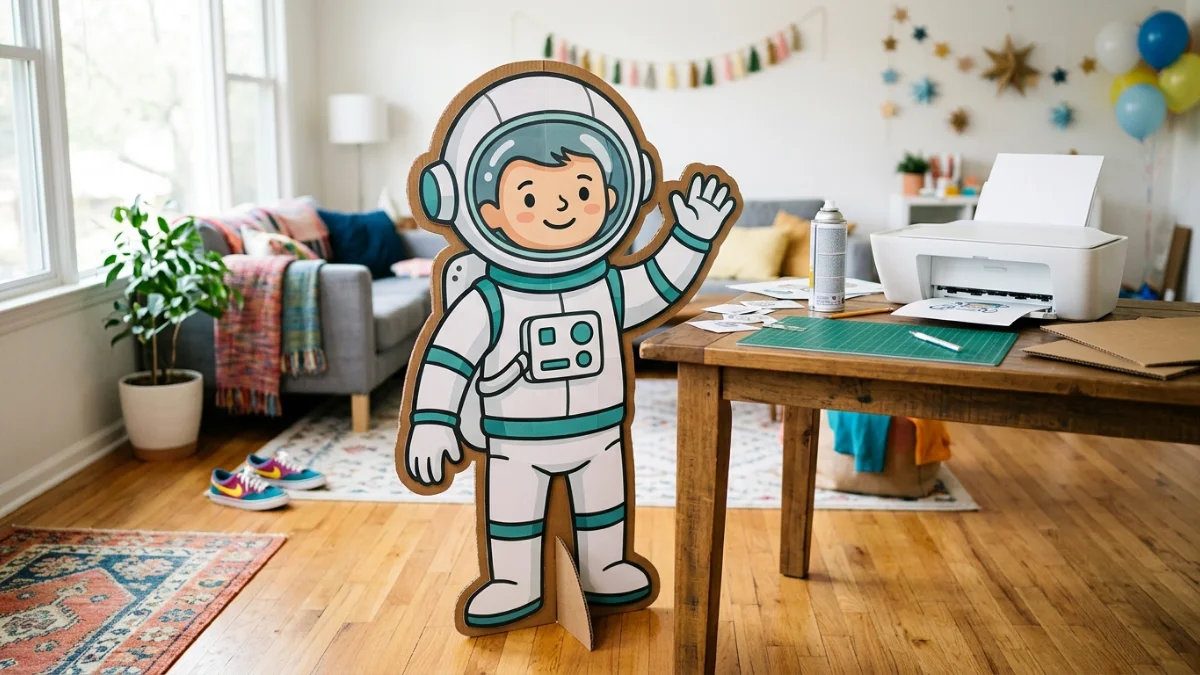
Cut a tall right triangle from leftover cardboard — roughly 60% of the cutout's total height and 14–18 inches wide at the floor base. Tape the vertical edge straight down the center spine on the back with two strips of duct tape so it hinges open at 90 degrees and folds flat for transport.
Frequently Asked Questions
What resolution photo do I need for a life-size cardboard cutout?
Ideally aim for a photo at least 2,000–3,000 pixels tall. If your best photo of a friend or family member is smaller (e.g., 600–1,500 px from social media or text messages), check its print score in our DPI Calculator and use Step 1's built-in 4× AI Photo Sharpening before exporting.
Does Rasterbator.org stretch or distort people on a life-size cutout?
Not when you use Contain framing (pre-selected in every preset link above). Contain preserves exact original height-to-width proportions so faces and shoulders stay 100% natural.
Can I print a cardboard cutout without halftone dots?
Yes — Plain Tile (No Effect) is the default on Rasterbator.org, giving you a smooth photographic cutout rather than newspaper dots.
Where can I print the tiles if I don't have a color printer at home?
Export the free multi-page PDF on your phone or laptop and print the individual US Letter (8.5 × 11 in) or Tabloid (11 × 17 in) pages at Staples, FedEx Office, Office Depot, or a local library — typically far cheaper than paying $35–$80 for wide-format store printing.