
Free Online Rasterbator Poster Maker
Turn any photo or PDF into a multi-page wall poster on US Letter or A4 — keep the original photo or pick from 15 halftone styles. Free PDF export, no watermark, no sign-up.
Image Upscaler
Make small or soft photos cleaner before turning them into large posters.
Image Resizer
Set exact pixel dimensions or scale by percentage before sending an image to Rasterbator.
Wall Planner
Calculate the perfect poster size for your wall and see how many sheets you'll need.
Wall Art Generator
Turn any photo into print-at-home wall art. Plain photo or 15 styles, multi-page PDF.
Browse Templates
Ready-made presets to get you started fast. Pick a template and create stunning posters.
Printing Tips
Learn how to print, assemble, and hang your poster for perfect results every time.
What is Rasterbation?
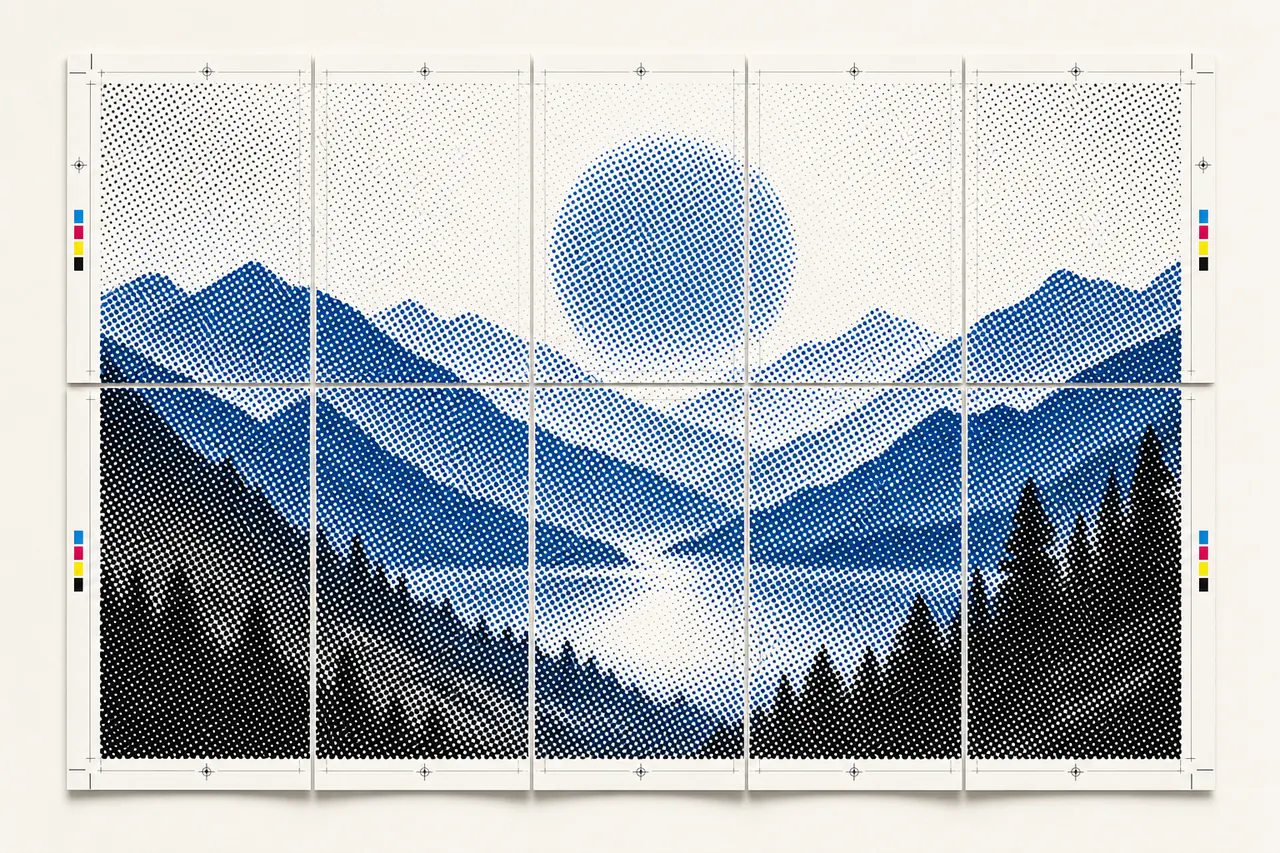
Rasterbation is the technique of enlarging a digital image across multiple printed pages, then assembling them into an oversized wall poster. The Rasterbator wall poster maker automates this process — print your original photo cleanly with Plain Tile (default) or apply halftone dot and artistic patterns that blend seamlessly from across the room. This modern Rasterbator runs locally in your browser with full privacy, supports US Letter (8.5 × 11 in), Tabloid, and A4, offers multiple dot shapes and 15 rendering styles, and outputs a ready-to-print PDF or ZIP of JPG tiles.
Halftone Poster Effect Explained
The halftone effect simulates continuous-tone images using dots that vary in size — dark areas get large dots, light areas get small ones. Rasterbator divides your image into a grid of cells and draws a proportionally sized dot in each, creating the classic halftone poster look. The Rasterbator poster generator offers 15 modes — including plain tile (no effect), classic halftone, color halftone, CMYK halftone, black-and-white, high-contrast, wave lines, and mosaic — so you can print crisp full photos or vintage pop-art posters.
How Rasterbator Works
Upload
Drag and drop or select any JPG, PNG, WebP, or GIF image into the Rasterbator poster generator.
Configure
Choose paper size, number of pages, halftone poster style, and colors for your Rasterbator project.
Print & Assemble
Rasterbator outputs a multi-page PDF — print it on any printer and assemble your large poster wall art.
Why Choose Rasterbator as Your Poster Generator?
100% Free
No sign-up, no watermarks, no limits. Rasterbator lets you create as many halftone posters as you want.
Complete Privacy
All Rasterbator processing happens in your browser. Your images never leave your device.
Easy to Use
Upload, configure, and rasterbate. Rasterbator delivers a printable poster PDF in minutes.
Multiple Effects
Classic halftone poster dots, high contrast, color mode, and more artistic rasterbation styles.
How to Make a Large Wall Poster at Home with Rasterbator
With the Rasterbator wall poster maker and a standard printer, you can create giant posters at home that rival commercial print shops.
Step 1: Upload Your Image
Drag a high-resolution photo (12 MP or higher) into the Rasterbator poster generator. Choose your paper size, set the number of pages wide, and pick a halftone poster style — classic dots, color halftone, or black-and-white.
Step 2: Configure and Generate
Adjust the Rasterbator grid size, dot shapes, and colors to get the look you want. Enable crop marks and page labels for easier assembly, then generate your PDF.
Step 3: Print and Assemble
Print all pages at 100% scale (never use "fit to page"). Arrange them using the position labels, trim margins along the crop marks, and tape pages together on the back. Mount your finished Rasterbator poster with poster putty or double-sided tape.
Tips for Best Rasterbator Results
Use the Right Paper
Standard 80 gsm copy paper works for most Rasterbator projects; upgrade to 100–120 gsm for halftone posters you want to keep long-term.
Print at 100% Scale
Always print your Rasterbator poster at 100% scale — never use "fit to page" or tiles will misalign.
Lay Out Before Taping
Arrange all Rasterbator pages on a flat surface first, trim margins along crop marks, then tape on the back for a seamless result.
View from a Distance
Halftone posters look best from 1.5–2× the poster width away — use a finer grid (5–8 mm) for small rooms, coarser (10–15 mm) for large walls.
Rasterbator vs Other Wall Poster Makers
Looking for a modern alternative to Rasterbator.net or simple poster splitters like Block Posters, PosteRazor, or Docuslice? Unlike general graphic tools such as PosterMyWall or Canva that focus on social media designs, Rasterbator.org is built for multi-page home printing — with both plain photo tiling and 15 artistic styles.
| Feature | Rasterbator.org | Rasterbator.net | Block Posters / PosteRazor |
|---|---|---|---|
| Plain photo & styles | Plain photo default + 15 styles (halftone, CMYK, mosaic, wave lines, ASCII) | Classic halftone dots + basic enlargement | Plain photo splitting only; no halftone effects |
| Print & assembly | US Letter, Tabloid, A4/A3 & custom sizes; crop marks, seam overlap, A1/B2 labels & guide | Standard paper sizes with basic crop marks | Basic multi-page PDF split; limited assembly guides |
| Blurry photos & export | Free PDF & ZIP; optional built-in AI sharpening, background removal & SVG | PDF export only; no built-in AI sharpening | PDF export only; no built-in AI sharpening |
| Privacy & devices | Core rendering 100% local in browser; works on desktop & mobile in 9 languages | Legacy web interface designed mainly for desktop | Minimal web splitter or older offline desktop app |
| Free tier & sign-up | Unlimited free PDF & ZIP, no watermark, no sign-up (optional Pro add-ons) | Free, no sign-up | Free, no sign-up (some newer tilers cap free size) |
Comparison reflects publicly listed features and may change over time.
Read the full poster maker comparison guideRasterbator — Frequently Asked Questions
What image formats does the Rasterbator poster generator support?
Is my image uploaded to a server when I use Rasterbator?
How do I assemble the printed pages into a Rasterbator poster?
What printer and paper should I use for Rasterbator?
Can Rasterbator create giant posters larger than my wall?
What is the best grid size for my Rasterbator halftone poster?
Can I use Rasterbator on my phone or tablet?
How do I get the best Rasterbator print quality?
What is the difference between Rasterbator PDF and ZIP download?
Is the Rasterbator poster generator really free? What's the catch?
Supported Paper Sizes
Rasterbator supports the following standard paper sizes, plus custom dimensions.