Rasterbator vs Block Posters vs Docuslice: Best Free Poster Maker Compared
Why Look for a Rasterbator Alternative?
The original Rasterbator (rasterbator.net) was launched in 2004 and quickly became the go-to tool for creating wall-sized posters from home printers. But the original site has barely changed since then — the UI feels dated, there are no templates, no guides, and no modern features. That has led many users to search for "rasterbator alternative" hoping to find something better.
The good news: there are now several free options. The bad news: they are very different tools that serve different needs. This guide compares the three most popular choices so you can pick the right one for your project.
The Three Contenders
Rasterbator.org — The Halftone Art Specialist
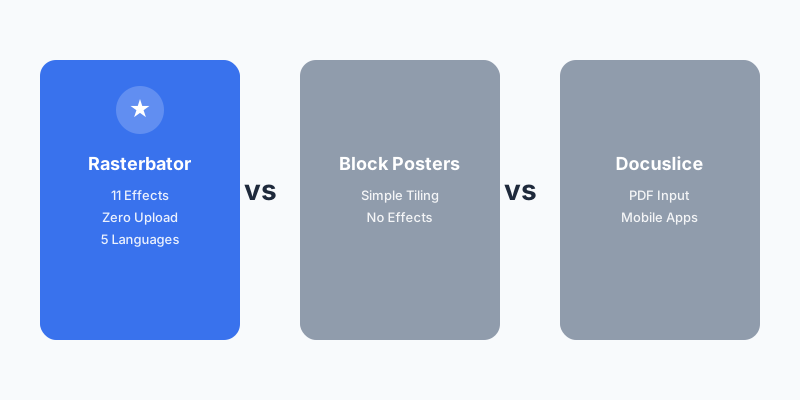
Rasterbator.org is a modern reimagining of the original rasterbator concept, rebuilt from scratch with current web technology. It runs entirely in your browser — your images never leave your device — and offers 11 different halftone and artistic effects that no other tool matches.
Key strengths:
- 11 rendering effects — Classic halftone, color halftone, pop art, minimal dots, line effects, text halftone, and more. Browse the template gallery to see them in action.
- Complete privacy — All processing happens in your browser using Web Workers and OffscreenCanvas. Zero server uploads.
- 6-step wizard — Upload, paper size, style, color, options, generate. Each step has clear controls and a live preview.
- Wall Planner — A dedicated wall size calculator helps you plan before you print.
- Printing guide — A complete printing tips guide covers paper, settings, and assembly.
- 7 languages — English, Chinese, Spanish, French, Turkish, German, and Portuguese.
- PDF and ZIP output — Download as a single PDF or individual JPG tiles in a ZIP.
- Dark mode — Easy on the eyes for late-night poster projects.
Best for: Anyone who wants artistic halftone posters, values privacy, or needs multi-language support.
Block Posters (blockposters.com) — The Simple Splitter
Block Posters takes the opposite approach: maximum simplicity. Upload an image, choose how many pages wide, download a PDF. Three steps, no artistic effects, no configuration complexity. The tool simply splits your image into a grid of printable pages.
Key strengths:
- Dead simple — If you just want to split an image into pages, nothing is faster.
- No learning curve — Three clicks and you are done.
- Free, no signup — Like the other tools here, it is completely free.
Limitations:
- No halftone or artistic effects — just plain image splitting
- No templates, no guides, no wall planner
- No multi-language support
- Minimal SEO content — hard to find unless you know the name
Best for: Users who want the absolute simplest image-to-pages conversion with zero artistic processing.
Docuslice (docuslice.com) — The Multi-Platform Option
Docuslice is the most commercially developed option, with native iOS and Android apps alongside its web version. Its standout feature is PDF input support — you can split existing PDF documents across multiple pages, not just images.
Key strengths:
- PDF input — The only tool here that accepts PDF files, useful for designers with existing print-ready files.
- Mobile apps — Native iOS and Android apps for on-the-go poster creation.
- Size Mode — Specify exact physical dimensions for your output poster.
- Active development — Regular updates and new features.
Limitations:
- No halftone or artistic effects — like Block Posters, it is a splitter, not an art tool
- Ad-supported — Google AdSense ads throughout the interface
- Server-side processing — your files are uploaded to their servers
Best for: Users who need PDF input, mobile app access, or precise size control.
Feature Comparison Table
| Feature | Rasterbator.org | Block Posters | Docuslice |
|---|---|---|---|
| Halftone effects | ✅ 11 styles | ❌ | ❌ |
| Plain image splitting | ✅ | ✅ | ✅ |
| PDF input | ❌ | ❌ | ✅ |
| PDF output | ✅ | ✅ | ✅ |
| Browser-only (no upload) | ✅ | ❌ | ❌ |
| Multi-language | ✅ 7 langs | ❌ | ✅ |
| Templates / presets | ✅ 8 presets | ❌ | ❌ |
| Wall size calculator | ✅ | ❌ | ❌ |
| Printing guide | ✅ | ❌ | ✅ blog |
| Mobile app | ❌ (PWA) | ❌ | ✅ iOS+Android |
| Dark mode | ✅ | ❌ | ❌ |
| Price | Free | Free | Free (ads) |
Which Poster Maker Should You Choose?
Choose Rasterbator.org if:
- You want artistic halftone effects — not just plain image splitting
- Privacy matters to you — your images never leave your browser
- You want guided help — templates, wall planner, and printing tips are all built in
- You need multi-language support
- You appreciate dark mode and modern UI
Choose Block Posters if:
- You just need to split an image into pages with zero configuration
- You do not care about artistic effects
- Speed is your only priority — three clicks and done
Choose Docuslice if:
- You need to split a PDF document (not just images)
- You want a native mobile app
- You need precise physical size control
The Bottom Line
If you searched for "rasterbator alternative" because the original rasterbator.net feels outdated, Rasterbator.org is the modern successor you are looking for. It keeps the halftone art concept that made the original famous while adding 11 effect styles, a live preview, templates, a wall planner, printing guides, and complete browser-based privacy.
Block Posters and Docuslice are solid tools for basic image splitting, but they lack the artistic halftone effects that make rasterbated posters unique. If you want your wall poster to look like intentional art rather than a blown-up photo, Rasterbator.org is the clear choice.
Ready to create your first poster? Start with the poster maker or browse our template gallery for inspiration.